
Setup
How to Set Up IPTV on Firestick (5-Minute Guide)
Set up IPTV on a Fire TV Stick in about 5 minutes: install a player, allow apps from unknown sources, log in with Xtream Codes and stop buffering.
Comparisons
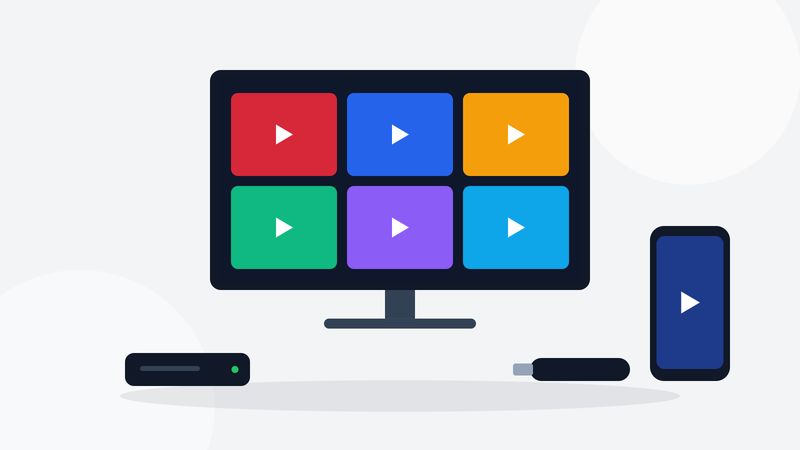
For most Canadian homes, the best IPTV device is the Amazon Fire TV Stick 4K Max. It is cheap, fast enough for 4K, runs both TiviMate and IPTV Smarters Pro, and plugs into any TV with an HDMI port. If you want the fastest channel changes and a wired connection without adapters, step up to an Android TV box such as the Google TV Streamer or NVIDIA Shield TV Pro. Skip Roku for IPTV: the player apps most people rely on are not available on it.
Specs sheets list dozens of numbers. For IPTV, five of them decide how the device feels every day:
| Device | TiviMate | IPTV Smarters | Ethernet | Best for |
|---|---|---|---|---|
| Fire TV Stick 4K Max | Yes | Yes | With adapter | Most homes, best value |
| Google TV Streamer | Yes | Yes | Built in | Set-and-forget living room |
| NVIDIA Shield TV Pro | Yes | Yes | Built in | Fastest guide, power users |
| Formuler (recent models) | Yes | Yes | Built in | Dedicated IPTV box |
| Apple TV 4K | No | Yes (Smarters Player Lite) | Some models | Apple households |
| Samsung or LG Smart TV | No | Varies by model | Built in | No extra box |
| Roku | No | No | Some models | Not recommended for IPTV |
The Fire TV Stick 4K Max is the device most Canadians start with, for good reason. It is small, it costs much less than a dedicated box, and the second-generation model supports Wi-Fi 6E. Fire TV runs Fire OS, which is built on Android, so it runs TiviMate and IPTV Smarters Pro. Wikipedia's Fire TV article lists the full model history.
The trade-offs: storage is limited, the home screen pushes Amazon content, and some players are not in the Amazon Appstore, so you install them with the Downloader app. Our Firestick IPTV setup guide walks through it in about five minutes.
Choose it if you want the best value and you are fine with a Wi-Fi connection or a cheap Ethernet adapter.
Devices running Android TV or Google TV get every IPTV player from the Google Play Store, with no workarounds. The Google TV Streamer has a built-in Ethernet port and a fast processor, and the NVIDIA Shield TV Pro, while older, is still the quickest box for scrolling a large guide.
These boxes cost more than a Firestick. In return you get faster channel changes, more storage and a wired connection out of the box, which matters most during big live games when Wi-Fi gets busy.
Choose one if IPTV is how your household watches most TV, or if you plan to use TiviMate's multi-view and recording features.
Formuler makes Android boxes built specifically for IPTV, with their own player, a remote with number keys and a built-in Ethernet port. Recent models also have the Google Play Store, so you can install TiviMate or IPTV Smarters Pro if you prefer them to Formuler's own app.
Choose one if you want a box that behaves like a cable receiver and you do not need streaming apps beyond IPTV.
Apple TV is polished and fast, but TiviMate is not available on it. You can use IPTV Smarters (listed as Smarters Player Lite in the App Store) or another M3U player instead. If your household already lives in the Apple ecosystem, it works well. If you are buying a device just for IPTV, an Android box gives you more player choices for less money.
A Smart TV saves you a box, but player availability on Samsung (Tizen) and LG (webOS) TVs changes from model to model and year to year, and TV processors are usually slower than a streaming stick. Many people start on the TV's own app store and add a Firestick later when the guide feels sluggish.
Hisense TVs come in two kinds: Google TV models run the same apps as an Android box, while VIDAA models have very few IPTV players.
Roku is excellent for mainstream streaming apps, but neither TiviMate nor IPTV Smarters Pro is available on it, and the few M3U players in its store are limited. If you already own a Roku TV, plug a Fire TV Stick into a spare HDMI port instead of fighting it.
Two specs decide whether a device still feels quick a year from now.
When a device starts to feel slow, clearing the player's cache and restarting helps for a while. When it keeps coming back, the device has simply run out of headroom.
You can install your player on as many devices as you like, but each live stream that plays at the same time uses one connection. A family with a living room TV, a bedroom TV and a tablet that all watch at once needs three connections. Every Digital IPTV plan includes one, and more can be added. Your internet speed has to cover the extra streams too; the IPTV speed guide shows how to add it up.
Before you buy a more expensive device, try a wired connection. An Ethernet cable or adapter removes Wi-Fi interference from neighbours, microwaves and thick walls, which is the most common cause of freezing during live sports. If a cable is not practical, place the router in the same room as the TV or use a mesh Wi-Fi point nearby. Then check your line with the IPTV speed test on our homepage.
The remote is the part of the device you touch most. Fire TV and Google TV remotes have voice search, which is handy for finding a film in the on-demand library, but neither has number keys. If your household is used to typing channel numbers, a Formuler box or an inexpensive Bluetooth remote with a number pad makes IPTV feel like the cable box it replaced.
Every one of these works with a Digital IPTV subscription, and the setup guides cover each of them.
Yes. The Fire TV Stick 4K Max runs TiviMate and IPTV Smarters Pro, handles 4K and is the best value for most homes. A wired adapter helps during busy live games.
Not always. Start with your TV's app store. If the player you want is missing or the guide feels slow, a streaming stick or Android box usually fixes both.
Only in a very limited way. TiviMate and IPTV Smarters Pro are not available on Roku, so a Fire TV Stick or Google TV device is the better choice.
Any Android TV or Google TV device. The NVIDIA Shield TV Pro and Google TV Streamer are the smoothest; the Fire TV Stick 4K Max is the best value.
No, but current 4K models also have faster processors and newer Wi-Fi, which makes HD channels smoother too.
Setup
Set up IPTV on a Fire TV Stick in about 5 minutes: install a player, allow apps from unknown sources, log in with Xtream Codes and stop buffering.
Setup
Set up TiviMate on Android TV, Google TV or Firestick: add an Xtream Codes or M3U playlist, load the EPG, set favourites and tune the buffer to stop freezing.
Test it on your own device for 24 hours, then choose a plan in Canadian dollars.