
Setup
IPTV Smarters Pro Setup Guide for Canada (2026)
Set up IPTV Smarters Pro on Android, Fire TV, iPhone, Apple TV and Windows: Xtream Codes login, EPG, catch-up, multi-screen and parental controls.
Setup
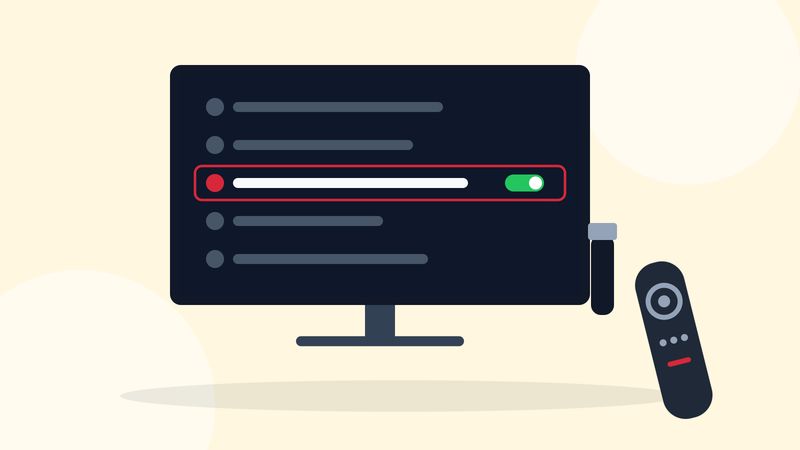
To set up IPTV on a Firestick: install a player app such as IPTV Smarters Pro or TiviMate, open it, choose "Login with Xtream Codes API", and type in the server URL, username and password from your activation email. If the player is not in the Amazon Appstore, turn on Developer options, allow the Downloader app to install unknown apps, and download the player from the developer's official website. The whole process takes about five minutes.
You need three things:
Every current Fire TV device can play IPTV, but they are not equal with a guide of thousands of channels.
If you are choosing between a Firestick and another device, our IPTV device comparison covers the alternatives.
From the Fire TV home screen, go to Find, then Search, and type the name of your player. Availability in the Canadian Appstore changes, so check here first: an Appstore install updates itself and needs no extra settings. If you find it, install it and skip to Step 4.
On current Fire TV software, Developer options stay hidden until you reveal them:
This does not void anything or change how your Firestick works day to day. It only reveals extra settings.
Only download players from their developer's own site. The Government of Canada's Get Cyber Safe guidance applies here: unknown files from unknown sources are how devices get compromised.
Open the player and choose the Xtream Codes option. In IPTV Smarters Pro it is Add user > Login with Xtream Codes API; in TiviMate it is Add playlist > Xtream Codes. Then enter:
http:// and the port number.Xtream Codes is better than the M3U link on a Firestick because the app loads channels, the guide, catch-up and on-demand titles automatically. Our IPTV Smarters Pro guide and TiviMate guide cover each app screen by screen.
The first load takes a minute while the app downloads the channel list and programme guide. Once it finishes, hide channel groups you never watch and add favourites for quick zapping. If the guide is empty, open the app's settings and refresh the EPG.
A few system settings make a noticeable difference:
Most freezing on a Firestick comes from the connection, not the service. Work through these in order:
If a single channel freezes while others play fine, email us the channel name and the time and we will check that stream.
If you have kids in the house, set up a PIN before they find the remote. Our parental controls guide covers Fire TV and the player apps.
http:// and the port, and confirm your Firestick is online by opening any other app.If an error is not on this list, email us a photo of the screen. It is usually a one-line fix.
The Fire TV remote has no number keys, so channel lists matter more than on a cable box. Keep a short favourites group, use the player's search for anything else, and use the Alexa button to open the player by name. If you miss number keys, an inexpensive Bluetooth remote with a number pad pairs with any Fire TV in Settings > Controllers and Bluetooth Devices.
A factory reset removes every app and login. Before you reset, make sure you have your activation email with the server URL, username and password. After the reset, repeat Steps 2 to 4: reveal Developer options, install Downloader if needed, and log in to your player again. Moving to a new Firestick is the same process; your subscription is tied to your login, not to the device.
Older or entry-level Fire TV models with little memory can feel slow with a guide of thousands of channels. If you use IPTV as your main TV service, or you want TiviMate's multi-view, an Android TV box with Ethernet is worth the extra money. Our device comparison explains the options.
It is safe if you only install apps from their developer's official website. Turn the setting off again for Downloader once your player is installed.
Newer Fire TV software hides them. Go to Settings, My Fire TV, About, and select your device name seven times to reveal them.
Yes. Fire TV is built on Android, so TiviMate runs on it. If it is not in the Appstore, install it with Downloader.
Use Xtream Codes when the app supports it. It loads the guide, catch-up and on-demand titles automatically; the M3U link is a backup for players that only accept playlists.
Player apps cache the guide and channel logos. Delete installer files from Downloader, uninstall apps you do not use and clear the player's cache.
Setup
Set up IPTV Smarters Pro on Android, Fire TV, iPhone, Apple TV and Windows: Xtream Codes login, EPG, catch-up, multi-screen and parental controls.
Comparisons
Which device is best for IPTV in Canada? Fire TV Stick 4K Max, Google TV Streamer, NVIDIA Shield, Formuler, Apple TV, Smart TVs and Roku compared.
Test it on your own device for 24 hours, then choose a plan in Canadian dollars.