
Setup
IPTV Smarters Pro Setup Guide for Canada (2026)
Set up IPTV Smarters Pro on Android, Fire TV, iPhone, Apple TV and Windows: Xtream Codes login, EPG, catch-up, multi-screen and parental controls.
Setup
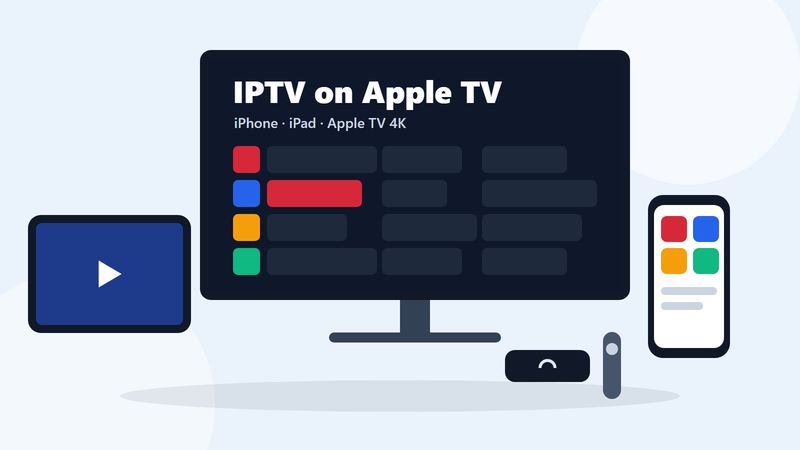
To watch IPTV on Apple TV, iPhone or iPad: install an IPTV player from the App Store, such as Smarters Player Lite, IPTVX, UHF or, on Apple TV only, iPlayTV. Open the app, add a playlist, and enter the login from your activation email: the Xtream Codes details (server URL, username and password) or the M3U playlist link. The channels, movies and TV guide then load inside the app.
TiviMate, the popular Android player, is not available on Apple devices. Everything else works: live channels in 4K on an Apple TV 4K, catch-up in the apps that support it, and AirPlay from an iPhone to a TV. Below, we compare the players in the Canadian App Store, then walk through setup on each device.
The lineup is the same on every device, including the French-language channels listed on our IPTV Quebec page.
We checked these four players in the Canadian App Store on October 16, 2026. Digital IPTV does not make or sell any of them and earns nothing from them. Prices are as listed in the Canadian store that day and change often, so confirm on the listing before you buy.
| App | Runs on | Price | Logins in the listing | TV guide | Catch-up |
|---|---|---|---|---|---|
| Smarters Player Lite | iPhone, iPad, Apple TV | Free; premium version $2.99 | M3U playlists | Yes | Not listed |
| iPlayTV | Apple TV only | $7.99 | Xtream Codes, playlist link, file upload | Yes | Yes, with Xtream Codes |
| IPTVX | iPhone, iPad, Apple TV | Free download; full version from $4.99 a month or $35.99 a year | Xtream API, M3U and M3U8 | Yes, plus a custom guide link | Yes |
| UHF - Love your IPTV | iPhone, iPad, Apple TV | Free; PRO $2.99 a month, $24.99 a year or $69.99 once | Xtream, M3U8 | Yes | Yes |
TiviMate is the big name missing. It only runs on Android-based devices, as our TiviMate setup guide explains.
On the Siri Remote, the clickpad scrolls the guide and selects a channel, and the Back button returns you to the guide.
The steps match the Apple TV: install the player from the App Store, add a playlist with your Xtream Codes login or M3U link, and wait for the first load. On a phone, copy the server URL, username and password from your activation email and paste them in. Typing mistakes are a common reason a login fails.
Two things are different on a phone or tablet:
Yes. In a player that supports AirPlay, start a channel, tap the AirPlay icon and choose an Apple TV or another AirPlay receiver on the same Wi-Fi network. The IPTVX and UHF listings both name AirPlay. Many Roku devices accept AirPlay as well; our IPTV on Roku guide lists the models.
AirPlay is handy for a quick game on someone else's TV. For daily viewing, install the player on the Apple TV itself: the Siri Remote changes channels, your phone stays free, and the stream does not depend on the phone staying nearby.
With an Xtream Codes login, the player downloads the TV guide (EPG) from your provider automatically, together with catch-up for the channels that have it. Our plans include a full TV guide and 7-day catch-up, so use the Xtream Codes login whenever your app offers it.
With an M3U playlist, some apps need the guide address separately. IPTVX, for example, can look for a guide file on your server by itself or take a custom EPG link. If channels play but the guide stays empty, check that the app is using your Xtream Codes login, then refresh the guide from the app's settings.
If programme times look an hour or more out, check the time zone set on the device. Most player apps show the guide in the device's local time, so a wrong time zone shifts every programme.
Use two layers. On the Apple TV, Settings, General, Restrictions sets a passcode and limits apps, purchases and content ratings. Inside the player, use the app's own lock for adult categories where it has one. Our IPTV parental controls guide covers both layers, plus Screen Time on iPhone and iPad.
If your household already uses an Apple TV, it is a good IPTV device and there is no reason to buy anything else. If you are buying a device only for IPTV, an Android-based option such as a Fire TV Stick 4K Max or a Google TV Streamer costs less and runs TiviMate, which many viewers prefer for its cable-style guide. Our IPTV device comparison sets them side by side.
Not sure yet? Try the service on the iPhone you already own with the free 24-hour trial before you spend anything.
No. TiviMate only runs on Android-based devices. On Apple devices, use Smarters Player Lite, IPTVX, UHF or, on Apple TV only, iPlayTV.
Yes. Smarters Player Lite and UHF are free downloads in the Canadian App Store, and IPTVX is a free download with a paid full version. iPlayTV is a paid app: $7.99 when we checked on October 16, 2026.
Yes. Install a player from the App Store, add your Xtream Codes login or M3U link, and watch on Wi-Fi or mobile data. One hour of an HD channel uses about 2.25 GB of data.
It depends on the app. Each App Store listing shows the minimum tvOS version, and the app only installs if your Apple TV can run it: iPlayTV needs tvOS 18.6, UHF tvOS 17, IPTVX tvOS 16 and Smarters Player Lite tvOS 12.
Yes. The same login works on every device. How many devices can stream at the same time depends on your plan; we offer plans for 1 to 4 devices at once.
Yes. The channel lineup is the same on every device, including the French-language channels.
Yes, if the TV or streaming device supports AirPlay; many Roku devices do, for example. The player app on the iPhone has to support AirPlay too.
Setup
Set up IPTV Smarters Pro on Android, Fire TV, iPhone, Apple TV and Windows: Xtream Codes login, EPG, catch-up, multi-screen and parental controls.
Families
Make IPTV safe for kids: lock adult categories with a PIN in TiviMate and IPTV Smarters, set Fire TV and Google TV controls, and find kids' channels.
Test it on your own device for 24 hours, then choose a plan in Canadian dollars.